
AI Interior & Room Design From a Single Photo
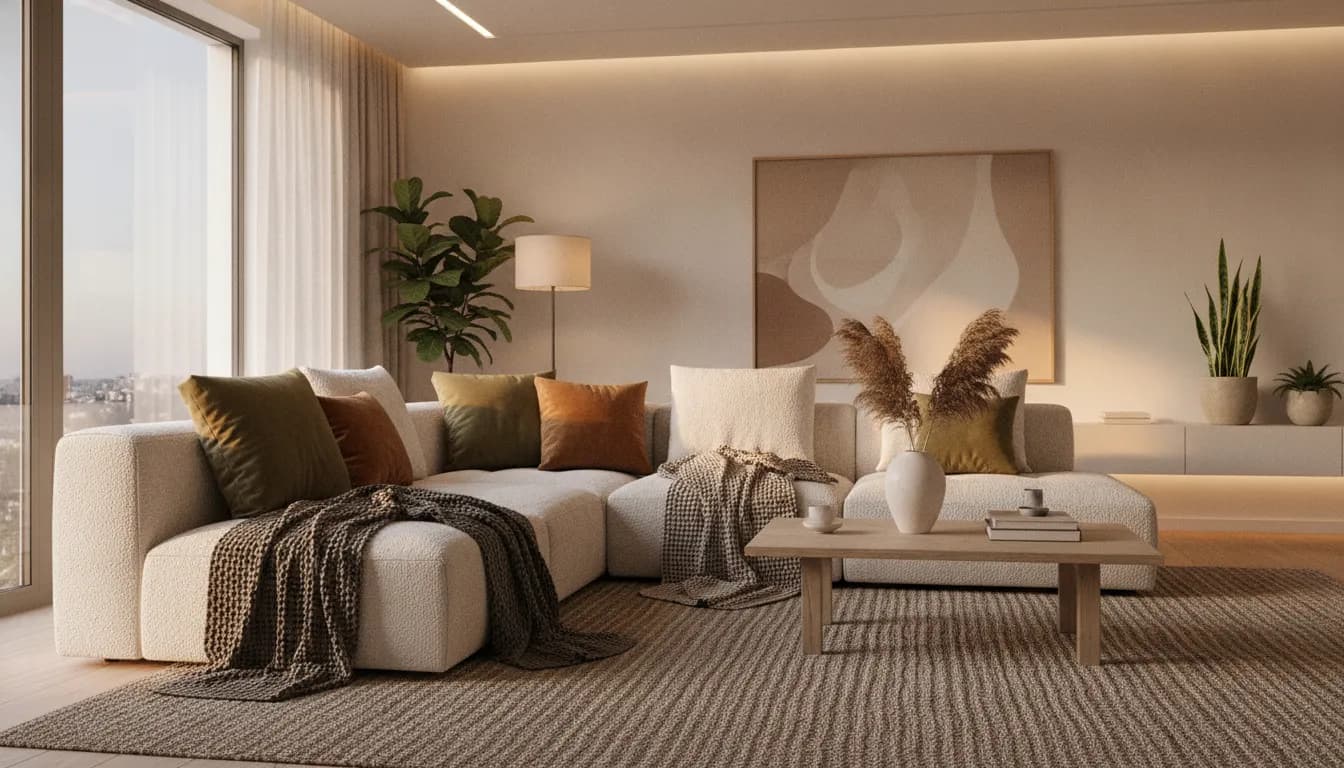
Photograph the room you have and describe the room you want. CreateLevel returns a photorealistic redesign in under thirty seconds, with new furniture, materials, palette and lighting, and the architecture left exactly where it is.
How the AI room designer works
CreateLevel is an image-to-image tool. There is no CAD model to build and no furniture library to assemble: the input is a photograph, and the output is a photo-quality render of the same space.
- Upload a photo of the room, straight from a phone camera.
- Pick a style, or type what you want in plain language.
- Mask any wall, floor or object you want changed on its own.
- Generate, compare variations, and export at up to 4K.
Interior AI that works like a home decorator
A home decorator starts with the room you have and works out what to change: the palette, the furniture, the lighting, the layout. AI for interior design follows the same logic, only faster. Upload the photo, describe the direction, and the redesign comes back in the same frame, so you see the changes on your own room.
Room design AI is most useful early, before you buy anything. Try three palettes, two layouts and a different floor in an afternoon, then take the version you like to a decorator, a contractor or a shop.
An AI photo editor built for rooms
General-purpose AI photo editors and AI image editors are made for portraits and product shots. CreateLevel is an AI image editor tuned for interiors. It understands walls, floors, windows and furniture, so an edit to one of them leaves the rest alone.
You can use it for a single change, such as a new floor or a cleared surface, or for a full room redesign, from the same upload.
Every room and every style: bedroom, kitchen, living room
Most AI room design tools ship six or seven presets and call it a library. CreateLevel covers the styles people actually search for, including minimalist, Japandi, Scandinavian, mid-century modern, industrial, coastal, art deco, bohemian, rustic and contemporary, across living rooms, bedrooms, kitchens, bathrooms, home offices and studio flats.
Style and room type are independent, so a Japandi kitchen and an industrial bedroom are each one prompt away.
Change one thing without starting over
Iteration is where most AI interior design apps fall down. You like the render but hate the sofa, and the only option is to regenerate the whole image and lose everything you liked. CreateLevel masks at object level, so you can replace one chair, repaint one wall or change the flooring while every other pixel holds.
Frequently asked questions
- Is there a free AI interior design option?
- Yes. CreateLevel gives you five free generations with no credit card, at 1024px and with no watermark. Every style and both the interior and exterior modes are unlocked on the free tier, so you are testing the real product.
- Is CreateLevel an AI photo editor or an AI image editor?
- Both, for rooms. You can make one targeted edit, like changing the flooring or removing an object, or redesign the whole space. It is an image editor made specifically for interiors.
- Can AI replace a home decorator?
- Not entirely. Use interior AI to test palettes, layouts and furniture on your own room photo, then take the render to a decorator or supplier as a clear brief.
- Do I need a floor plan or a 3D model?
- No. A single photograph is the only input. CreateLevel reads the room's geometry from the image, which is why a phone snapshot is enough and you don't need CAD software.
- Can I use the renders commercially?
- Starter covers personal projects. Full commercial licensing, for client work, listings and marketing material, comes with Pro.
- How long does a render take?
- Most generations finish in under thirty seconds.
Try it on your own room
Every style unlocked, interior and exterior both included. Plans from $7.
Keep reading
AI Living Room Design From a Photo of Your Room
Redesign your living room with AI from one photo. Try new sofas, rugs, wall colours and layouts on your own room, free to start with no credit card.
AI Exterior Home Design & Facade Design
Free AI house exterior design from one photo. See a new facade, roof, cladding or garden before you commit a penny, in photorealistic renders made in seconds.
Sketch to Image AI: Scribble, Draw, Render
Sketch to image AI for rooms and buildings: draw a rough scribble and get a photorealistic render back. CreateLevel reads your linework (edges, openings and depth) and keeps your composition.
AI Virtual Staging for Real Estate Listings
Virtual staging AI for real estate: stage an empty room in seconds instead of days, free to try. Furniture removal and twilight conversion for agents and photographers.
CreateLevel vs Spacely, Mnml, Dehome, ReRoom, Gendo, NewArc and InteriorAI
Eight photo-in, photo-out design platforms in one table: price per render, which ones have object-level masking, which read a sketch, and which still can't leave the room.
AI Photo Editor or AI Image Editor? What to Use to Redesign a Room
An AI photo editor fixes a photo. An AI image editor changes what is in it. Interior AI changes a room and keeps it believable. Which one you need depends on the job.
Room Redesign With AI: A Home Decorator's Workflow, Step by Step
A good home decorator starts with the room, the light and a palette, and gets to the furniture later. Room design AI lets you follow the same order on your own photo.
Free AI Interior Design Tools in 2026: What the Free Tiers Give You
Twenty of twenty-three platforms advertise a free tier. Fewer than half of those free tiers show you the quality you would be paying for.