
Replace Furniture and Edit One Thing in Any Room Photo With AI
Most AI room tools regenerate the whole picture, so a new sofa comes with a new floor, new windows and a slightly different room. Here you paint a mask over the one piece you want gone, describe its replacement, and only that piece changes, in your room's own light and scale.
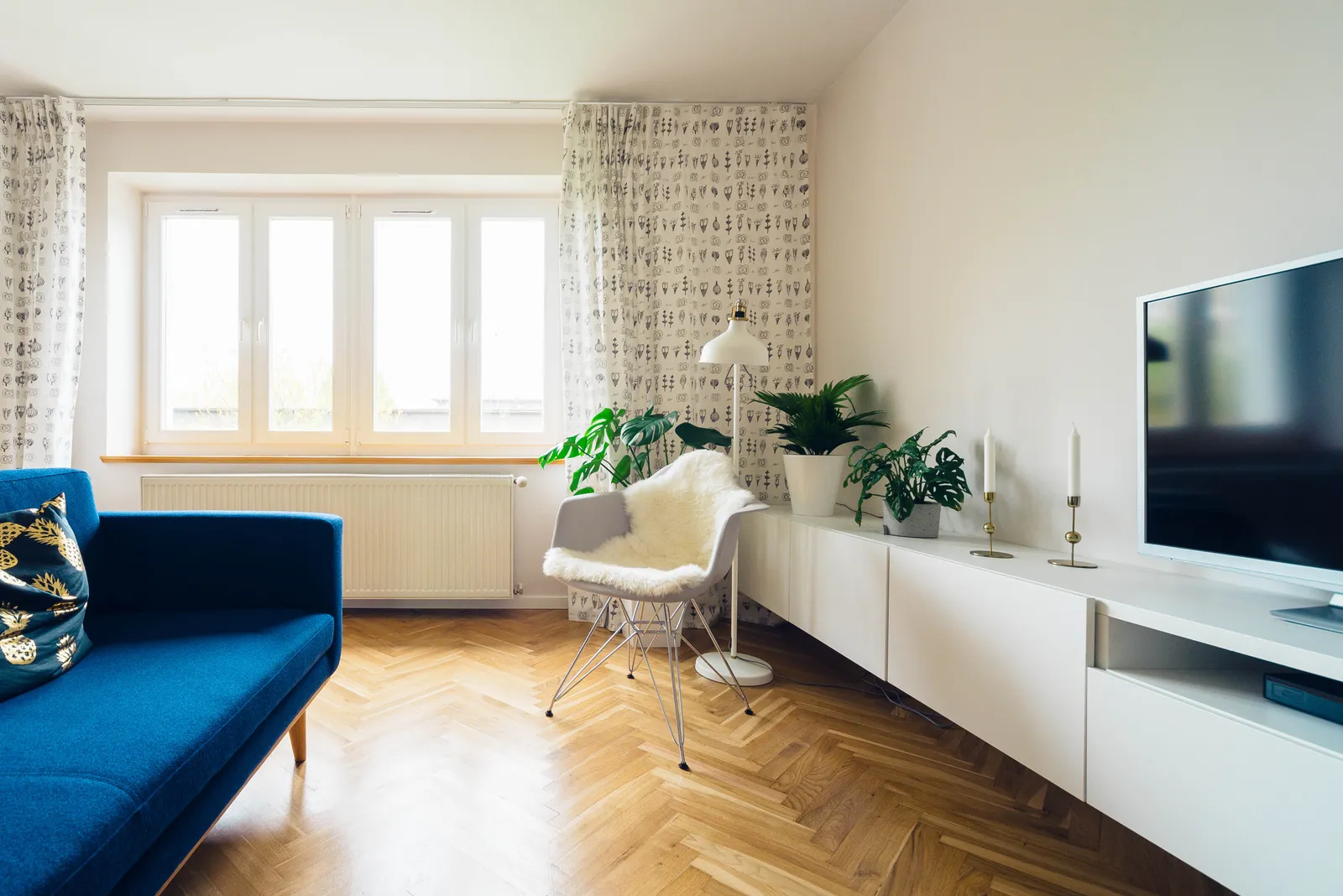
How to replace furniture in a room photo
It takes about a minute:
- Upload a photo of the room. A phone shot taken straight on is fine.
- Brush a mask over the chair, sofa, light, rug or wall you want to change, plus a little margin and its shadow.
- Describe only the replacement, for example 'deep green velvet sofa, low arms, oak legs'.
- Optionally add a product photo as a reference image so the new piece matches it.
- Generate, compare the variations, and keep the one that fits. Then mask the next piece.
Why a mask beats regenerating the room
A plain AI edit redraws every pixel, because a prompt has no way to say 'leave everything else alone'. A mask does: the model works only inside the area you painted, and everything outside stays exactly as photographed. The new piece is generated from the pixels around it, so it picks up the floor plane, the light direction and the colour of the room.
That makes it safe to keep the furniture you already like and redesign around it, one decision at a time. The full technique, including how to draw a shape inside the mask, is in our guide to changing one thing in a room photo.
What you can swap
Anything that's one object or one surface:
- Furniture: sofas, beds, chairs, tables, rugs, shelving.
- Lighting: pendants, floor lamps, wall lights.
- Surfaces: one wall's paint colour, the floor, kitchen cabinet fronts, tiles.
- Removal: clutter, cables, old radiators, furniture you're getting rid of.
- Outside: cladding, a front door or the roof on a house exterior photo.
Draw the shape when it matters
The mask decides where the model can work; a rough outline decides what shape it makes there. Sketch a curved sofa or an arched mirror inside the mask and the result follows your lines. It's also the reliable way to add something that isn't in the photo yet, at the right size and angle. See sketch to render for drawing from scratch.
Frequently asked questions
- How do I change just one piece of furniture in a room photo with AI?
- Mask it. In CreateLevel, upload the photo, brush over the piece on the mask layer, describe only the replacement and generate. Only the masked area is regenerated; every other pixel stays the same.
- Can I replace furniture with a specific product?
- Yes, on paid plans. Add the product photo as a reference image along with your mask, and the new piece follows its shape, material and colour. Check real dimensions before you order, because AI sizes are visual, not measured.
- Can AI remove furniture from a room photo?
- Yes. Mask the piece and describe what should be there instead, such as 'empty oak floor' or 'plain white wall'. The same works for clutter and cables.
- Can I use it as a furniture planner to arrange a room?
- As a visual one, yes. Brush where a sofa or chair should go and generate, and you'll see the arrangement in your own room. It doesn't measure, so check that the pieces fit before you buy or start arranging furniture in the room itself.
- Is AI furniture replacement free?
- You can try it free: CreateLevel gives five generations with no credit card, at 1024px with no watermark, and masking is included. Reference images start with the $7 Day Pass.
Swap one piece in your own room
Every style unlocked, interior and exterior both included. Plans from $7.
Keep reading
Free AI Interior Design From a Photo of Your Room
Free AI interior design from one photo: upload a room and get a photorealistic redesign in seconds. 50+ styles, mask-level editing, no credit card.
AI Living Room Design From a Photo of Your Room
Redesign your living room with AI from one photo: a room visualizer for new sofas, rugs, paint colours and layouts on your own room, free to start with no credit card.
Change One Thing in a Room Photo With AI, Without Losing the Rest
You asked for a different sofa and got a different room. Masking is how you tell the AI which bit is up for change and which bits it has to leave alone.
Why AI Gets Interior Perspective Wrong, and How Drawing Fixes It
You know exactly which corner of the room you want to see. Forty prompts later, the walls still lean. It's a geometry problem, and you can't type your way out of it.
Sketch to Render AI: Turn Rough Drawings Into Photorealistic Renders
Sketch to image AI for rooms and buildings: draw a rough scribble and get a photorealistic render back. CreateLevel reads your linework (edges, openings and depth) and keeps your composition.
How to Redesign a Room From a Photo With AI
A general AI photo editor makes a room photo look better. To change what's in it, like a new sofa, a new floor or a whole new style, you need an editor that understands rooms.
Interior AI With a Drawing Feature: Sketch or Brush What You Want
Most interior AI tools only let you type and hope. With a drawing feature you show the model where things go, and it only touches what you drew.
Why AI Gets Interior Perspective Wrong, and How Drawing Fixes It
You know exactly which corner of the room you want to see. Forty prompts later, the walls still lean. It's a geometry problem, and you can't type your way out of it.
Change One Thing in a Room Photo With AI, Without Losing the Rest
You asked for a different sofa and got a different room. Masking is how you tell the AI which bit is up for change and which bits it has to leave alone.
Room Visualizer: Try Paint, Furniture and Layouts on a Photo of Your Room
Room planners are great at telling you whether a sofa fits. They're bad at telling you whether it looks right. For that you need your own room on screen, repainted and refurnished.